Smart home tech for beginners doesn’t have to feel overwhelming. Millions of people are adding connected devices to their homes each year, and the barrier to entry has never been lower. Whether someone wants to control lights with their voice, lock doors remotely, or save money on energy bills, smart home technology offers practical solutions.
This guide breaks down exactly what beginners need to know. It covers the basics of smart home technology, the best devices to start with, how to pick an ecosystem, and the mistakes most newcomers make. By the end, anyone can confidently take their first steps into home automation.
Table of Contents
ToggleKey Takeaways
- Smart home tech for beginners starts best with a few key devices like smart speakers, plugs, or lighting rather than automating everything at once.
- Choose an ecosystem (Amazon Alexa, Google Home, or Apple HomeKit) based on your existing devices, privacy preferences, and budget.
- Smart plugs and bulbs offer affordable, low-risk entry points that teach you how smart home technology works.
- Strengthen your Wi-Fi network before adding multiple smart devices to avoid connectivity issues and dead zones.
- Avoid common mistakes like buying incompatible devices, skipping security basics, and overcomplicating automations.
- Ensure the whole household understands how to use smart home devices so the system benefits everyone.
What Is Smart Home Technology
Smart home technology refers to devices that connect to the internet and can be controlled remotely. These devices communicate with each other and with users through apps, voice commands, or automated schedules.
At its core, smart home tech for beginners involves three main components:
- Smart devices: Physical products like light bulbs, thermostats, cameras, and locks
- A hub or controller: A central point that connects and manages devices (though many modern devices work independently)
- A control method: Usually a smartphone app or voice assistant like Alexa, Google Assistant, or Siri
The appeal is simple. Smart home devices offer convenience, security, and energy savings. A thermostat learns a household’s schedule and adjusts temperatures automatically. Motion sensors detect activity and trigger lights. Door locks can be checked from anywhere.
Smart home technology has matured significantly. Early systems required professional installation and cost thousands of dollars. Today, anyone can buy a smart plug for under $15 and set it up in minutes. This accessibility makes smart home tech for beginners genuinely approachable.
Essential Smart Home Devices to Start With
Beginners don’t need to automate their entire house on day one. Starting with a few key devices builds confidence and demonstrates real value.
Smart Speakers and Displays
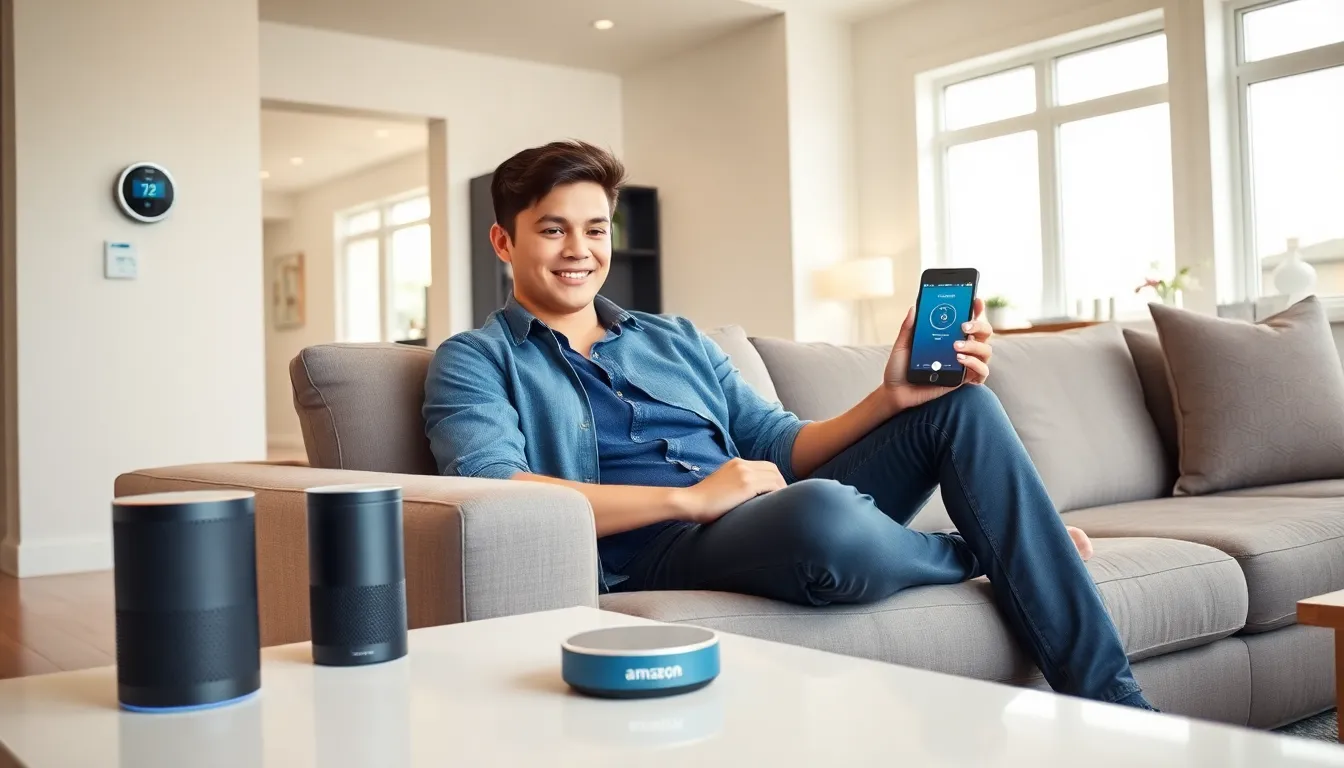
A smart speaker serves as command central for most smart homes. Amazon Echo, Google Nest, and Apple HomePod devices let users control other gadgets with voice commands. They also play music, answer questions, and set timers. For beginners exploring smart home tech, a smart speaker provides an excellent foundation.
Smart Lighting
Smart bulbs and switches offer immediate, visible results. Philips Hue, LIFX, and Wyze bulbs can change colors, dim on command, and run on schedules. Users can turn off every light in the house from bed, a small luxury that feels significant.
Smart Plugs
These affordable devices turn any outlet into a smart outlet. Plug in a lamp, coffee maker, or fan, and it becomes controllable via app or voice. Smart plugs cost little and teach beginners how smart home tech works without major investment.
Smart Thermostats
Nest, Ecobee, and similar thermostats learn household patterns and optimize heating and cooling. They often pay for themselves through energy savings within a year or two. For anyone serious about smart home tech for beginners, a thermostat delivers clear, measurable benefits.
Video Doorbells and Cameras
Ring, Nest, and Arlo offer video doorbells that show who’s at the door from anywhere. Indoor and outdoor cameras add security layers. These devices provide peace of mind, especially for frequent travelers.
How to Choose the Right Smart Home Ecosystem
One critical decision faces every beginner: which ecosystem to join. The three major platforms, Amazon Alexa, Google Home, and Apple HomeKit, each have strengths and limitations.
Amazon Alexa offers the widest device compatibility. Thousands of products work with Alexa, and Echo devices come at various price points. It’s a solid choice for smart home tech beginners who want maximum flexibility.
Google Home integrates tightly with Google services. Anyone already using Gmail, Google Calendar, and Android phones will find Google Assistant feels natural. Device support is strong, though slightly smaller than Alexa’s catalog.
Apple HomeKit prioritizes privacy and security. It works best for households already invested in Apple products. Device selection is more limited, but certified products meet strict standards.
Here’s what beginners should consider:
- Existing devices: Pick the ecosystem that matches current phones and tablets
- Privacy concerns: Apple offers the strongest privacy protections
- Budget: Amazon typically provides the most affordable entry points
- Future plans: Think about what devices might be added later
The good news? Many smart devices support multiple ecosystems. A Philips Hue bulb works with all three platforms. This flexibility means early choices aren’t permanent, but starting with one primary ecosystem keeps things simpler for beginners learning smart home tech.
Tips for Setting Up Your First Smart Home
Setting up smart home devices shouldn’t be stressful. These practical tips help beginners avoid frustration.
Start Small
Resist the urge to buy everything at once. Begin with two or three devices. Learn how they work, understand the apps, and build from there. Smart home tech for beginners becomes overwhelming when people try to automate too much too fast.
Strengthen Your Wi-Fi
Smart devices rely on stable internet connections. A house full of connected gadgets can strain a basic router. Consider a mesh Wi-Fi system if coverage is spotty. Dead zones mean unreliable automation.
Use Consistent Naming
Name devices clearly. “Living Room Lamp” works better than “Lamp 1” when issuing voice commands. Consistent naming prevents confusion as the system grows.
Create Simple Automations First
Most platforms offer automation features. Start with basic routines: turn on porch lights at sunset, or lower the thermostat at bedtime. These simple automations demonstrate the real power of smart home tech without requiring technical expertise.
Keep Firmware Updated
Smart devices receive regular software updates that fix bugs and add features. Enable automatic updates when possible. Security patches are especially important for cameras and locks.
Read the Instructions
It sounds obvious, but many beginners skip setup guides. Manufacturers include important details about placement, pairing, and troubleshooting. Five minutes reading instructions can save hours of frustration.
Common Mistakes Beginners Should Avoid
Even enthusiastic beginners make predictable errors. Knowing these pitfalls helps newcomers sidestep them.
Buying incompatible devices: Not every smart device works with every ecosystem. Check compatibility before purchasing. A great deal on a smart lock means nothing if it won’t connect to an existing setup.
Ignoring security basics: Default passwords and unsecured networks create vulnerabilities. Change default credentials immediately. Use strong, unique passwords for smart home accounts. Enable two-factor authentication wherever possible.
Overcomplicating automations: Complex routines with multiple triggers often fail or behave unexpectedly. Keep automations simple. A routine that requires five conditions to work will frustrate everyone.
Neglecting household buy-in: Smart home tech for beginners should include the whole household. If one person can’t figure out how to turn on the lights, the system fails its purpose. Make sure everyone understands basic controls.
Chasing trends over needs: The newest gadget isn’t always the most useful. Focus on solving actual problems. A smart sprinkler system makes sense for someone with a lawn. It’s pointless for apartment dwellers.
Forgetting about power outages: When electricity or internet fails, some smart devices become useless. Choose products that maintain basic manual functionality. A smart lock should still accept a physical key.